Prepare primer input inference
This tool create primer input inference file for mopo16s tool.
Galaxy usage
To run the tool using ITSoneWB wrapper:
Select the taxon name in the tool menu:

Submit your request:
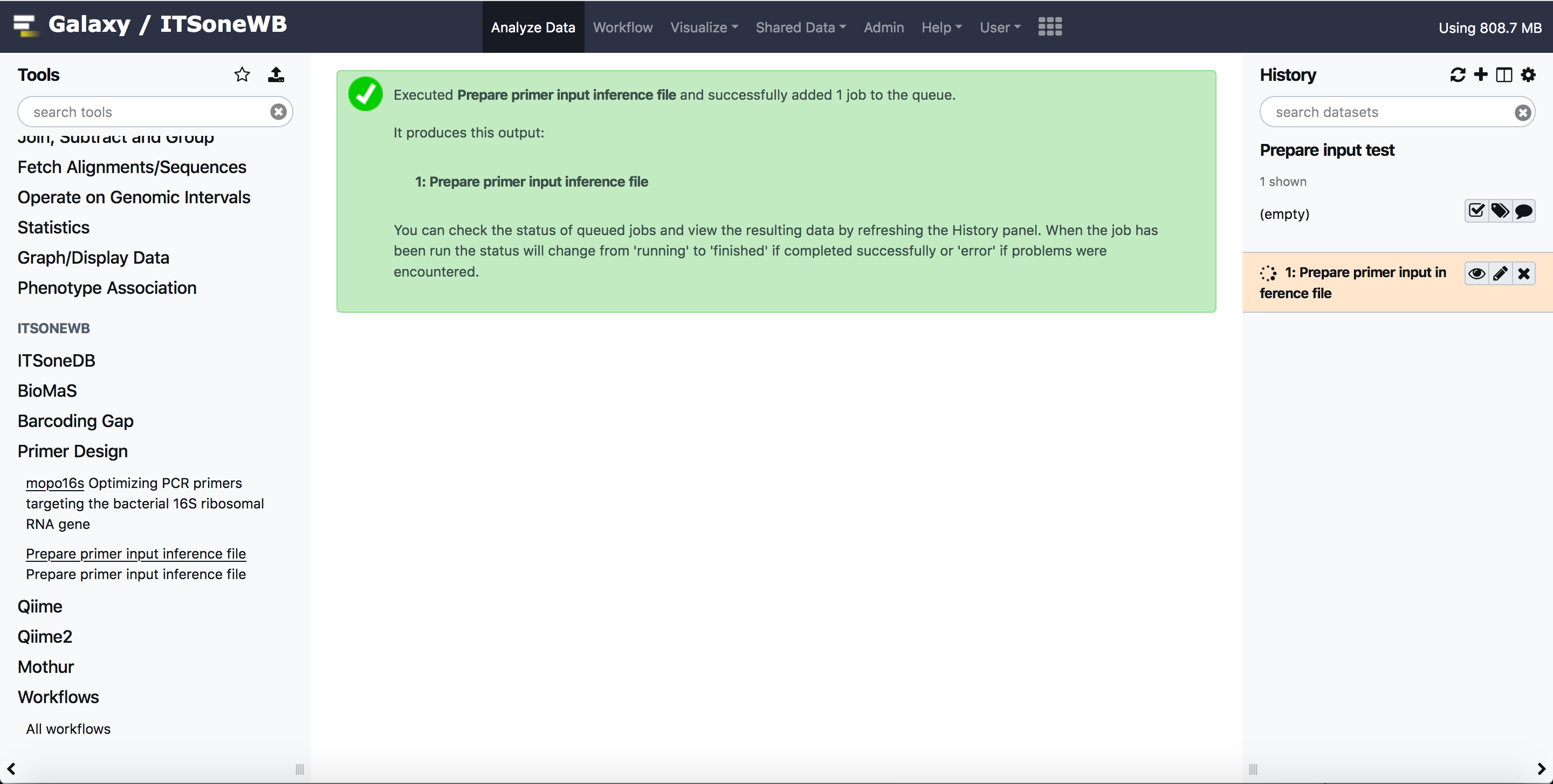
The output can be esily reproduced from the history or downloaded.

If no output is created, an error will be displayed:

Install on Galaxy
Galaxy is able to automatically solve conda dependecies when a tool is started.
To install Prepare primer input inference file on Galaxy:
Clone the ITSoneWb repository
git clone https://github.com/ibiom-cnr/itsonewb.git
Add the Prepare primer input inference file entry in the galaxy
tool_conf.xmlfile with your favourite editor:
<section name="Primer Design" id="primer_design">
    <tool file="/path/to/itsonewb/prepare_primer_inference_files_wrapper/prepare_input_file2primer_inference.xml" />
</section>
Add the reference data using
.locfiles. To include them in Galaxy, please refer to the Galaxy Project documnetation. The*locfiles are on our github repository (prepare_primer_inference_files_wrapper/tool-data) with the correspondingtool_data_table_conf.xmlentry.Finally restart Galaxy.
Command line usage
The command line tool is available as python script on ITSoneWB GitHub repository.
To run the tool using the prepare_input_file2primer_inference.py script:
python prepare_input_file2primer_inference.py -t Aspergillus -f ITS1_r131_plus_flanking_region.fna.gz -p node2tax_name_path.tsv.gz -o output.fa
The reference data files are also hosted on GitHub:
Install as standalone tool
The Prepare primer input inference tool is available as python script on ITSoneWB GitHub repository.
Download the script:
wget https://raw.githubusercontent.com/ibiom-cnr/itsonewb/master/prepare_primer_inference_files_wrapper/prepare_input_file2primer_inference.py
The Prepare primer input inference tool dependencies can be installed using conda, thorough its Bioconda channel:
conda create --name prepare_input_reference_files python=2.7 vsearch -c conda-forge -c bioconda
The command will create a new virtual environment called prepare_input_reference_files wich can be activated with:
conda activate prepare_input_reference_files
Finally download Reference data (see next sextion).
Reference data
The reference data files are hosted on GitHub and can be easily downloaded:
Docker usage
The Prepare primer input inference tool is also packaged as Docker Container, hosted on DockerHub.
You can pull it from DockerHub with the following command:
docker pull ibiomcnr/prepare-input-reference-files
The usage of the Prepare primer input inference tool from the docker container is the same as that described in the section Command line usage, using ``prepare-input-reference-files``as alias to call the script.
Note
Reference data file are included in the docker container
In the following we report the command example for Aspergillus:
# docker run -it -v /path/to/the/data:/data ibiomcnr/prepare-input-reference-files prepare-input-reference-files -t Aspergillus -f /refdata/ITS1_r131_plus_flanking_region.fna.gz -p /refdata/node2tax_name_path.tsv.gz -o output.fa
vsearch v2.17.0_linux_x86_64, 7.8GB RAM, 4 cores
https://github.com/torognes/vsearch

Reading file output.fa 100%
1514550 nt in 5086 seqs, min 97, max 559, avg 298
Masking 100%
Sorting by length 100%
Counting k-mers 100%
Clustering 100%
Sorting clusters 100%
Writing clusters 100%
Clusters: 292 Size min 1, max 562, avg 17.4
Singletons: 131, 2.6% of seqs, 44.9% of clusters
output.fa
The output file will be located in the /path/to/the/data local directory.